01
Control what needs attention
Expiries, dues and lead follow-ups surface before they become lost revenue.
5 expiring₹9,675 due
Gym Ledger connects members, dues, renewals, attendance, leads and reports across your phone and web dashboard, so the front desk and gym floor stay in sync.
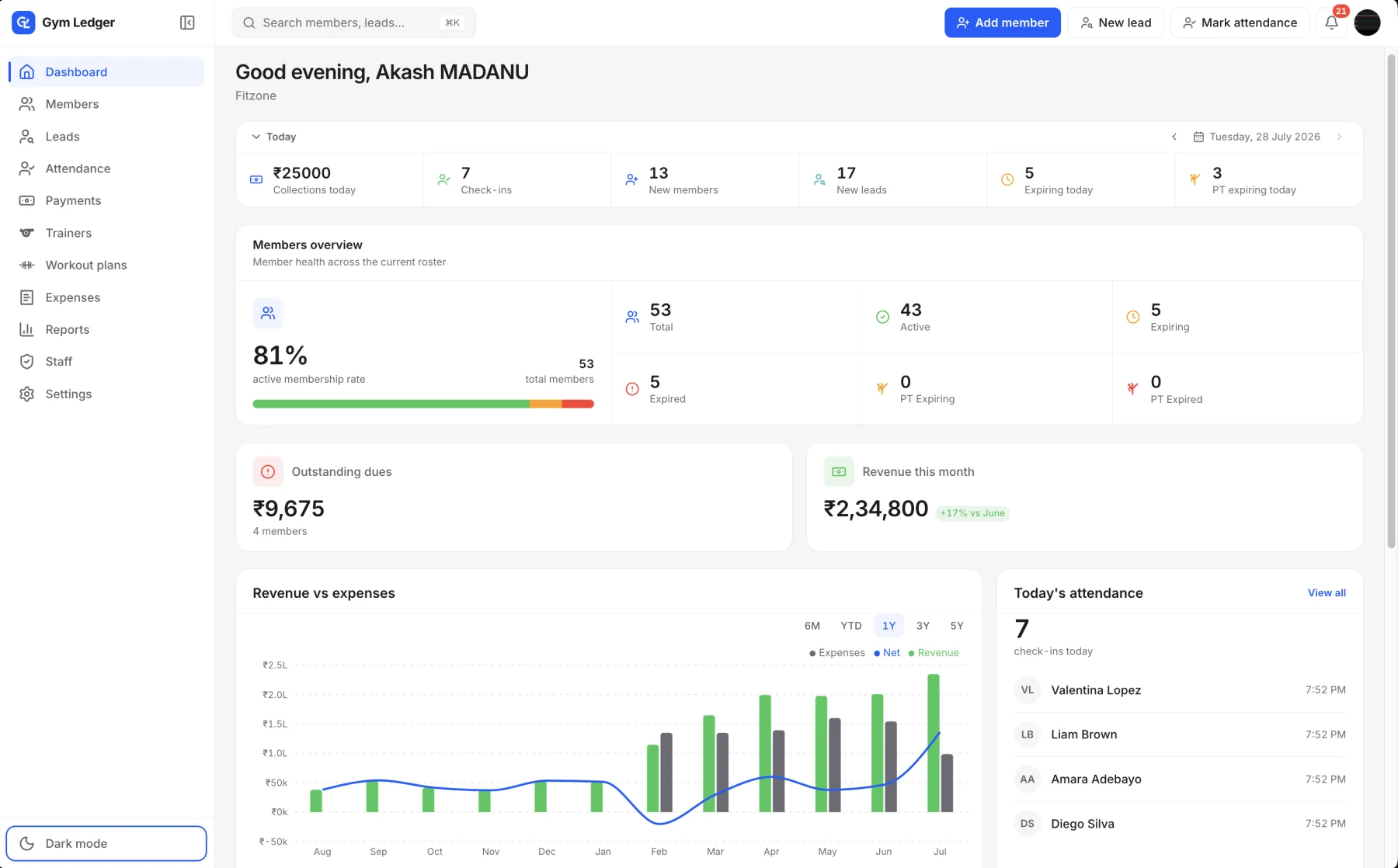
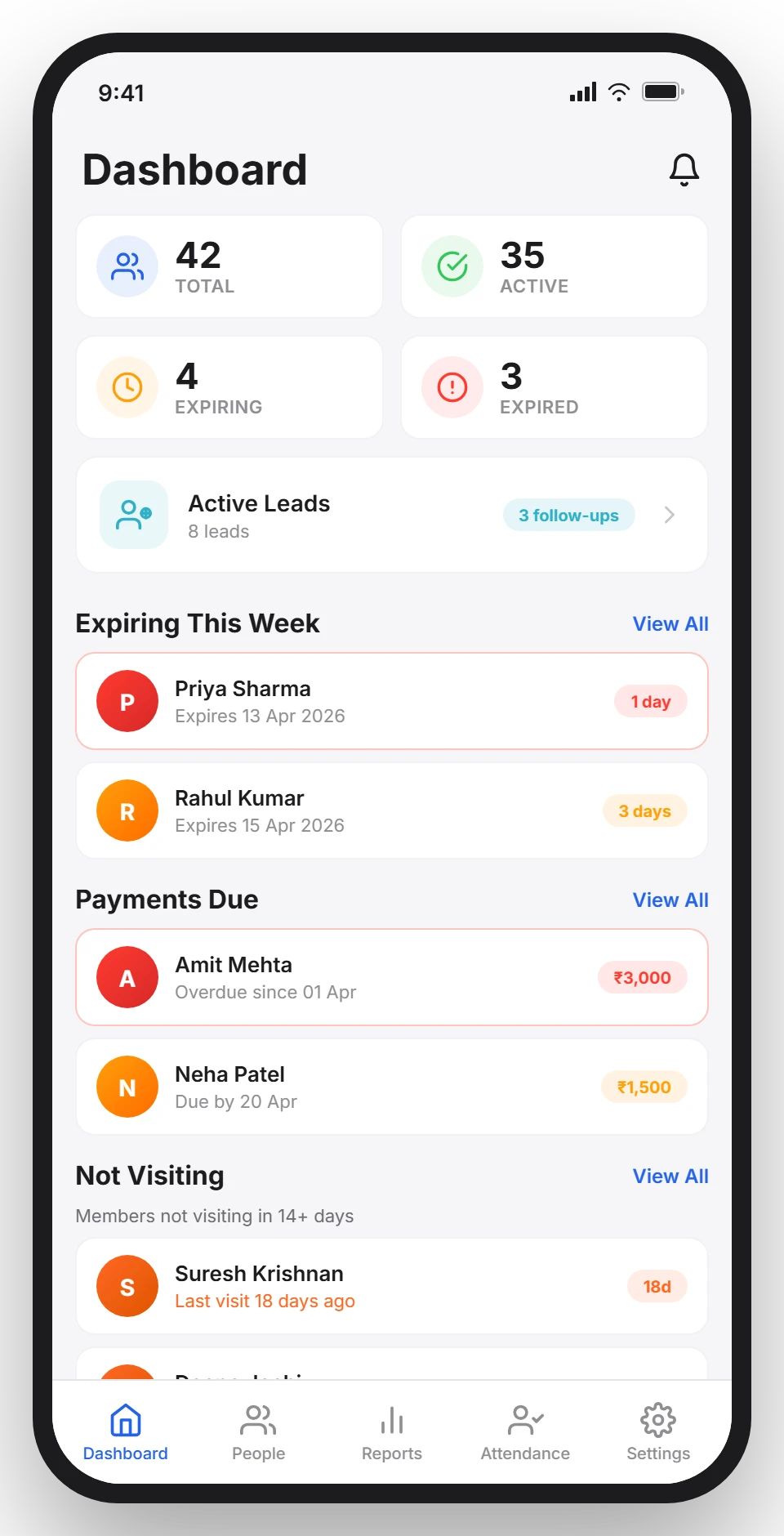
Open Gym Ledger to see expiring memberships, pending payments, attendance, enquiries and the numbers shaping your month.
Expiries, dues and lead follow-ups surface before they become lost revenue.
Members, payments and attendance stay together for the owner and front desk.
Revenue, expenses and retention become decisions, not end-of-month guesswork.
Run daily operations from the Gym Ledger mobile app, then open the same gym on the web when you need a bigger view. Members, payments, renewals, attendance and leads stay together.
See member totals, upcoming expiries and leads from one clear starting point.
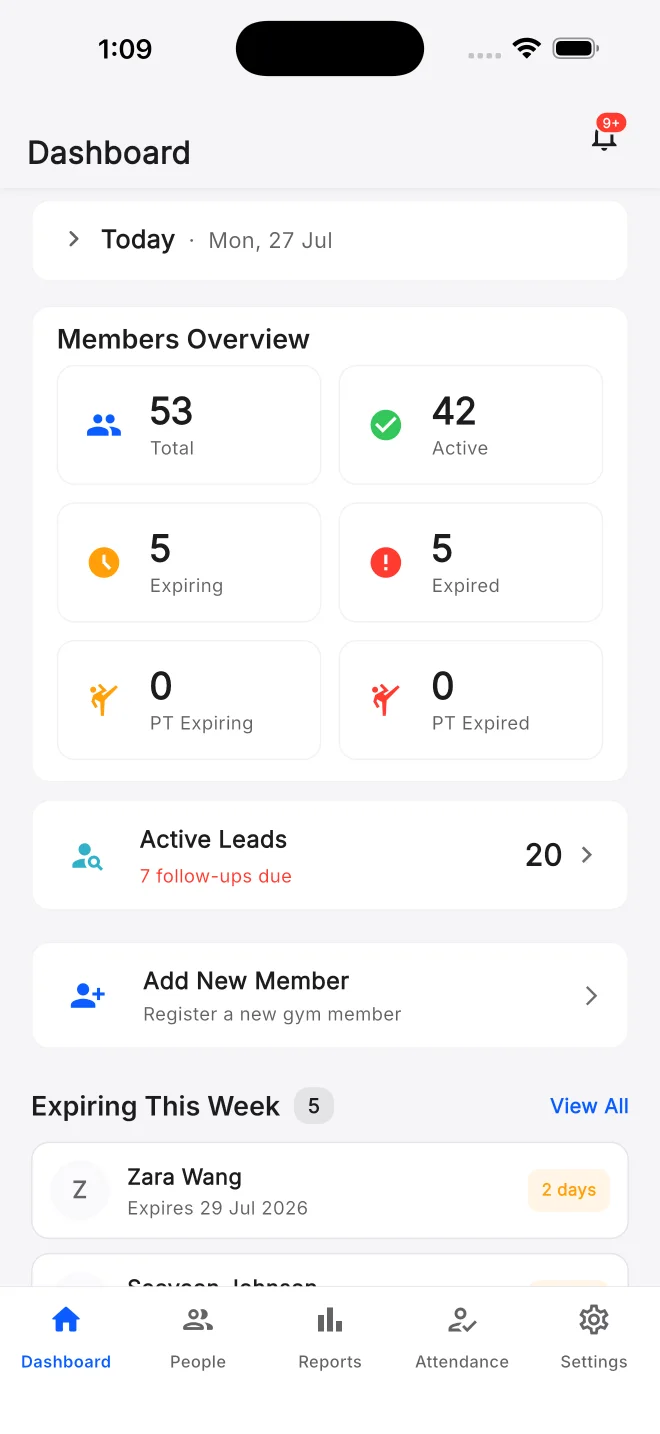
Track collections, dues, memberships, attendance and business performance from one browser workspace.
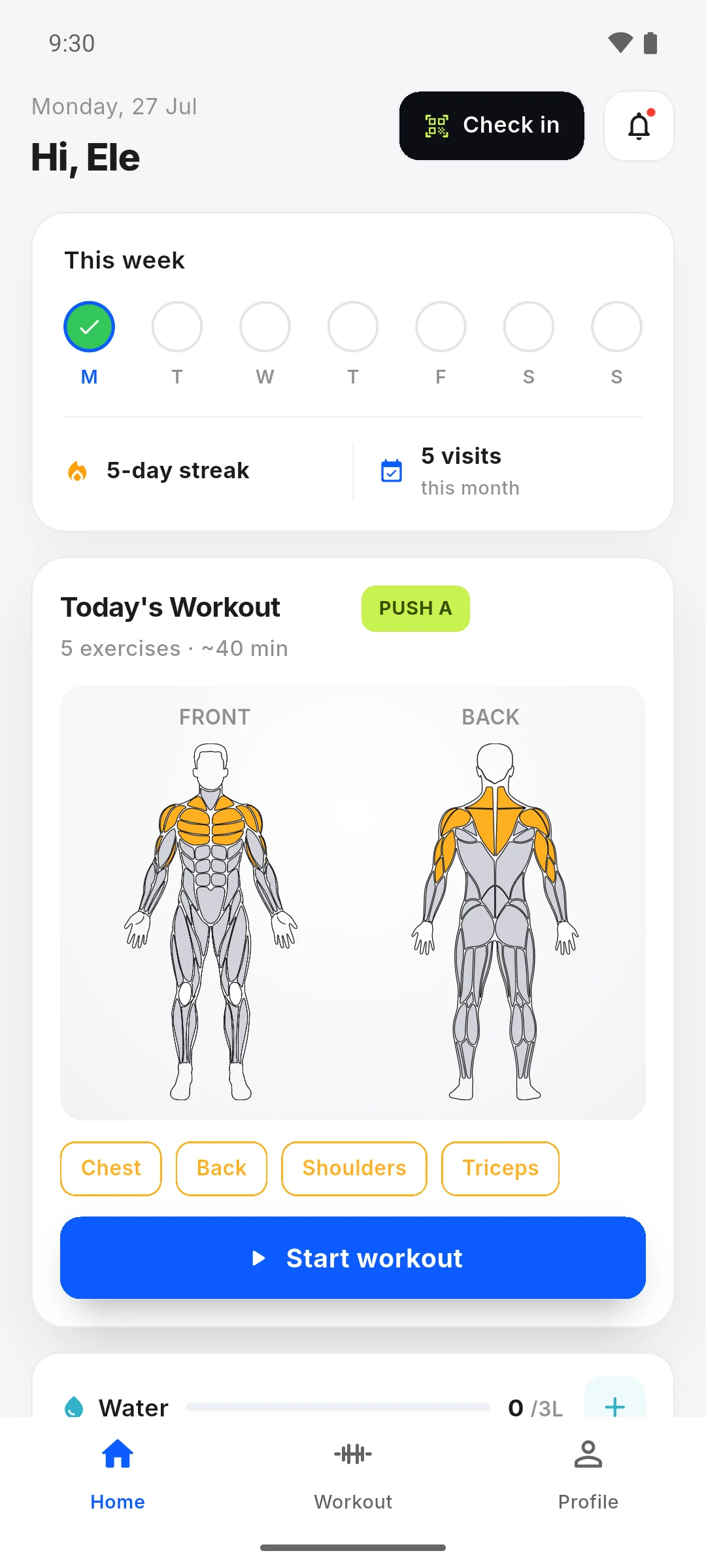
Members can follow their workout, see their visits and keep their membership within reach.
From expiry reminders and payment receipts to lead follow-ups and membership updates, Gym Ledger keeps routine communication moving automatically.
12 WhatsApp message templates Gym LedgerWhatsApp Business Account⋮
Connect a supported biometric access-control device to Gym Ledger to record check-ins, stop expired access and turn every visit into useful attendance data.

Supported biometric devices must be provisioned with Gym Ledger and configured during installation. Access refusal also requires the terminal expiry rule to be configured.
Start with full Pro access for 10 days. Choose Pro for the complete mobile system, or Max for phone, web and biometric attendance. Monthly and yearly totals are shown before you choose.
Every plan starts with a 10-day free trialNo credit card required
Your trial starts first. These GST-inclusive prices apply only after you choose a paid plan. Store pricing may vary slightly by platform price point.
Still deciding? Contact Us at +91 93920 47515.
You keep your account and can still view the gym data you already added. A paid plan is needed to add or change records after the trial.
Pro includes the complete mobile app with QR and manual attendance. Max includes everything in Pro, plus the Gym Ledger web app and biometric attendance support.
Yes. Invite staff and choose what each person can view or manage, including members, payments, attendance and reports.
Yes. Record UPI, cash, card and bank-transfer payments, including partial payments and pending balances.
Yes. Pro and Max include QR and manual attendance. Max also includes biometric attendance support for compatible devices; contact us with the exact model and firmware before buying or configuring a machine.
Moving from another gym application, an Excel sheet or a physical register? Request assisted data migration. We review your records, agree on supported data and verify details and balances with you before switching. Explore assisted data migration.
Gym Ledger uses Firebase on Google Cloud, with data encrypted in transit and at rest. Your gym data is scoped to your account and approved staff access.
Gym Ledger needs an internet connection to save changes and keep devices in sync. If your connection drops, you can still read data that has already loaded, but new saves are blocked until you reconnect.
Enter your name and either a phone number or email address, or connect with us directly on WhatsApp.


